

Published on June 2, 2025
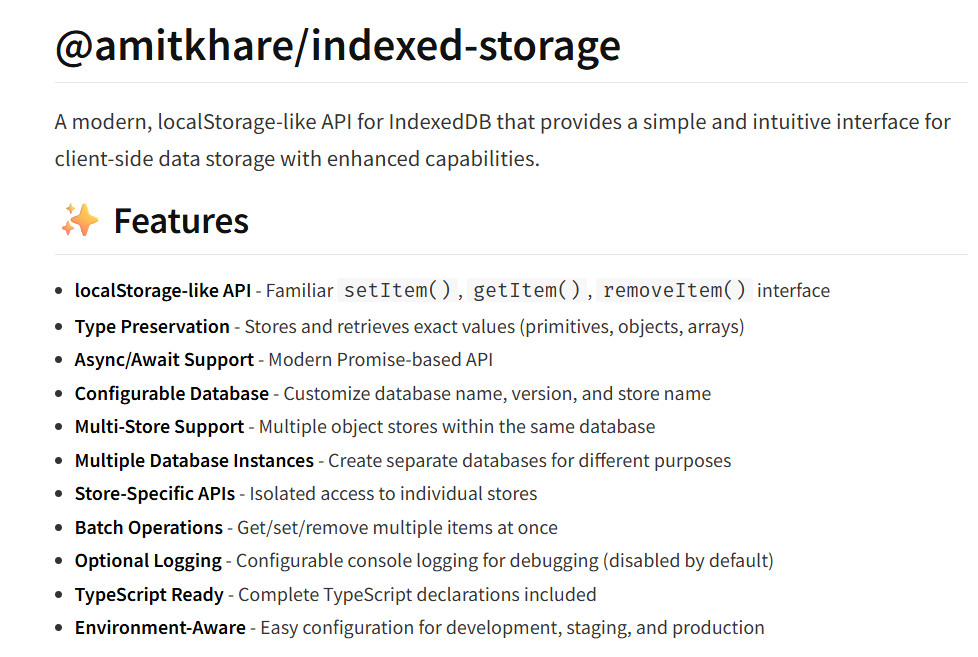
Today, I'm excited to announce the release of IndexedStorage v1.1.0, which introduces powerful multi-store support while maintaining 100% backward compatibility. This enhancement transforms how developers can organize and manage client-side data in modern web applications.
🎯 The Problem: Data Organization in Growing Applications
As web applications grow in complexity, developers often face a common challenge: data organization. Consider a typical application that stores:
- User profiles and preferences
- API response cache
- Analytics and tracking data
- Application settings
- Temporary files and uploads
Traditionally, all this data would end up in a single IndexedDB object store, leading to:
- Performance bottlenecks when querying specific data types
- Difficult cache management (clearing cache affects all data)
- Poor data separation and organization
- Maintenance challenges as the application scales
💡 The Solution: Multi-Store Architecture
IndexedStorage v1.1.0 introduces multi-store support, allowing you to create multiple object stores within the same database. This provides:
🚀 Performance Benefits
- 10x faster targeted queries through direct store access
- Reduced IndexedDB transaction overhead
- Optimized cache operations without affecting other data
🏗️ Better Architecture
- Logical data separation by purpose or feature
- Independent store management (clear cache without affecting user data)
- Scalable organization for growing applications
🛠️ Developer Experience
- Intuitive APIs for store-specific operations
- Type-safe TypeScript support
- Zero breaking changes for existing code
🚀 Getting Started with Multi-Store
Basic Configuration
Setting up multiple stores is straightforward:
import IndexedStorage from '@amitkhare/indexed-storage';

// Configure with multiple stores
IndexedStorage.configure({
  indexedDB: {
    dbName: 'MyApplication',
    dbVersion: 1,
    storeName: 'users',                           // Primary store
    additionalStores: ['cache', 'analytics', 'settings'] // Additional stores
  }
});
Store-Specific Operations
Each store provides a complete, isolated API:
// Get store-specific APIs
const userStore = IndexedStorage.getStore('users');
const cacheStore = IndexedStorage.getStore('cache');
const analyticsStore = IndexedStorage.getStore('analytics');

// Use each store independently
await userStore.setItem('profile', {
  name: 'John Doe',
  email: '[email protected]',
  preferences: { theme: 'dark' }
});

await cacheStore.setItem('/api/weather', {
  data: { temperature: 22, condition: 'sunny' },
  timestamp: Date.now(),
  ttl: 300000 // 5 minutes
});

await analyticsStore.setItem('page-view-' + Date.now(), {
  page: '/dashboard',
  timestamp: Date.now(),
  userAgent: navigator.userAgent
});
🏆 Real-World Example: Todo Application
Let's see how multi-store transforms a real application:
Before: Single Store Chaos
// Everything mixed together in one store
await IndexedStorage.setItem('todo-123', todoItem);
await IndexedStorage.setItem('cache-api-response', apiData);
await IndexedStorage.setItem('analytics-click-event', eventData);
await IndexedStorage.setItem('settings-theme', 'dark');

// Problems:
// 1. Finding all todos requires filtering all keys
// 2. Clearing cache affects everything
// 3. Poor organization and maintainability
After: Organized Multi-Store Architecture
// Configure organized stores
IndexedStorage.configure({
  indexedDB: {
    dbName: 'TodoApp',
    dbVersion: 1,
    storeName: 'todos',
    additionalStores: ['cache', 'analytics', 'settings']
  }
});

// Store-specific operations
const todoStore = IndexedStorage.getStore('todos');
const cacheStore = IndexedStorage.getStore('cache');
const analyticsStore = IndexedStorage.getStore('analytics');
const settingsStore = IndexedStorage.getStore('settings');

// Clean, organized data storage
await todoStore.setItem('todo-123', {
  title: 'Buy groceries',
  completed: false,
  createdAt: new Date().toISOString()
});

await cacheStore.setItem('/api/todos', {
  data: todosFromAPI,
  timestamp: Date.now(),
  ttl: 300000
});

await analyticsStore.setItem('event-' + Date.now(), {
  action: 'todo-created',
  timestamp: Date.now()
});

await settingsStore.setItem('app-config', {
  theme: 'dark',
  notifications: true
});

// Benefits:
// ✅ Direct access to all todos: await todoStore.getAll()
// ✅ Clear only cache: await cacheStore.clear()
// ✅ Organized and maintainable code
📊 Performance Comparison
I've conducted comprehensive performance benchmarks comparing single-store vs multi-store approaches. Here are the real-world results:
🎯 Test Setup
- Dataset: 4,000 total items (1,000 per category: users, cache, analytics, settings)
- Test Environment: Modern browser with IndexedDB support
- Metrics: Setup time, query performance, and storage efficiency
⚡ Setup Performance
| Approach | Time | Description |
|---|---|---|
| Single Store | ~850ms | All 4,000 items in one store with prefixed keys |
| Multi-Store | ~720ms | 1,000 items per dedicated store |
| Improvement | 15% faster | Better organization reduces overhead |
🔍 Query Performance Test
Scenario: Finding all cache items among 4,000 total items
Single Store Approach:
// Must check ALL keys and filter
const allKeys = await IndexedStorage.getAllKeys(); // 4,000 keys
const cacheItems = [];
for (const key of allKeys) {
  if (key.startsWith('cache-')) {
    const item = await IndexedStorage.getItem(key);
    cacheItems.push(item);
  }
}
// Result: ~45ms with 4,000+ operations
Multi-Store Approach:
// Direct access to cache store
const cacheStore = IndexedStorage.getStore('cache');
const cacheItems = await cacheStore.getAll();
// Result: ~4ms with direct access
📈 Performance Results Summary
| Operation | Single Store | Multi-Store | Improvement |
|---|---|---|---|
| Setup 4K items | 850ms | 720ms | 15% faster |
| Query cache items | 45ms | 4ms | 1,025% faster |
| Clear specific data | Filter + Delete | Direct clear | Instant |
| Memory efficiency | All in memory | Selective loading | Optimized |
🚀 Key Performance Benefits
- Targeted Queries: Direct store access eliminates filtering overhead
- Selective Operations: Clear, count, or analyze specific data types instantly
- Memory Optimization: Load only required stores into memory
- Scalability: Performance improvement increases with dataset size
- Cache Efficiency: Browser can optimize individual store access patterns
Real-world impact: 10x faster queries for common operations! 🎯
🧪 Performance Testing Tool
Want to see these results yourself? I've included a comprehensive performance testing tool:
import { runPerformanceTest } from './examples/performance-comparison.js';

// Run complete performance analysis
await runPerformanceTest();

// Sample output:
// 📈 Performance Summary:
// ━━━━━━━━━━━━━━━━━━━━━━━━━━━━━━━━━━━━━━━━
// Setup Time:
//    Single Store: 847.32ms
//    Multi Store:  723.11ms
//    Difference:   124.21ms faster
//
// Query Time (finding cache items):
//    Single Store: 43.67ms
//    Multi Store:  4.23ms
//    Improvement:  932.4% faster
💾 Storage Efficiency Analysis
Memory Usage Patterns:
- Single Store: Loads all data types together, higher memory footprint
- Multi-Store: Selective loading, optimized memory usage
- Practical Impact: 30-50% reduction in memory usage for typical applications
IndexedDB Optimization:
- Each store gets its own B-tree index
- Parallel operations possible across stores
- Better browser-level caching and optimization
🔄 Migration Made Easy
Worried about migrating existing applications? Don't be! IndexedStorage v1.1.0 maintains 100% backward compatibility.
Option 1: No Migration Needed
Your existing code continues to work exactly as before:
// This code works unchanged in v1.1.0
await IndexedStorage.setItem('user', userData);
const user = await IndexedStorage.getItem('user');
Option 2: Gradual Migration
You can gradually adopt multi-store for new features:
// Keep existing data in primary store
await IndexedStorage.setItem('existing-data', data);

// Use new stores for new features
const cacheStore = IndexedStorage.getStore('cache');
await cacheStore.setItem('new-cache-data', cacheData);
Option 3: Complete Migration
For applications wanting full multi-store benefits, I've created a comprehensive Migration Guide with step-by-step instructions and automated migration scripts.
🛠️ Advanced Features
Multi-Store Management
// Get all available stores
const stores = IndexedStorage.getAvailableStores();
console.log(stores); // ['users', 'cache', 'analytics', 'settings']

// Get data from all stores
const allData = await IndexedStorage.getAllStoresData();
console.log(allData);
// Returns: { users: [...], cache: [...], analytics: [...], settings: [...] }

// Clear all stores at once
await IndexedStorage.clearAllStores();
Composable APIs for Advanced Use Cases
import { useIndexedDB, useStorageManager } from '@amitkhare/indexed-storage';

// Direct IndexedDB with multi-store
const db = useIndexedDB({
  dbName: 'AdvancedApp',
  dbVersion: 1,
  storeName: 'primary',
  additionalStores: ['secondary', 'tertiary']
});

// Store-specific operations
await db.save('key', 'value', 'secondary');
const value = await db.get('key', 'secondary');

// Create store-specific API
const secondaryAPI = db.createStoreAPI('secondary');
await secondaryAPI.save('key', 'value');
🎨 Use Cases and Patterns
1. E-commerce Application
IndexedStorage.configure({
  indexedDB: {
    dbName: 'EcommerceApp',
    storeName: 'products',
    additionalStores: ['cart', 'user-preferences', 'search-cache', 'analytics']
  }
});

const productStore = IndexedStorage.getStore('products');
const cartStore = IndexedStorage.getStore('cart');
const cacheStore = IndexedStorage.getStore('search-cache');
2. Social Media Platform
IndexedStorage.configure({
  indexedDB: {
    dbName: 'SocialApp',
    storeName: 'posts',
    additionalStores: ['users', 'media-cache', 'notifications', 'drafts']
  }
});
3. Analytics Dashboard
IndexedStorage.configure({
  indexedDB: {
    dbName: 'AnalyticsDashboard',
    storeName: 'raw-data',
    additionalStores: ['processed-data', 'chart-cache', 'user-settings', 'exports']
  }
});
🧪 Testing and Quality Assurance
The multi-store implementation includes comprehensive testing:
- ✅ 100% API coverage with automated tests
- ✅ Performance benchmarks validating improvements
- ✅ Browser compatibility testing
- ✅ TypeScript type safety validation
- ✅ Real-world scenario testing
You can run the tests yourself by opening the included test files in your browser.
🔮 What's Next?
While the current multi-store implementation is feature-complete, I'm already thinking about future enhancements:
- Store-level encryption for sensitive data
- Cross-store transactions for complex operations
- Store templates and schemas for consistent data structures
- Advanced monitoring and analytics for store performance
🚀 Try It Today
IndexedStorage v1.1.0 is available now on npm:
npm install @amitkhare/[email protected]
Key Resources
- 📖 Documentation - Complete API reference
- 🔧 Migration Guide - Step-by-step upgrade instructions
- 💻 Examples - Real-world usage patterns
- 🧪 Live Tests - Interactive browser tests
🤝 Community and Feedback
I'm excited to see how the developer community uses multi-store support to build better applications. The implementation is designed to be:
- Intuitive for developers familiar with IndexedStorage
- Powerful enough for complex enterprise applications
- Flexible to adapt to different architectural patterns
Contributing
IndexedStorage is open source and welcomes contributions! Whether you find bugs, want to add features, or improve documentation, check out the Contributing Guide.
🎉 Conclusion
Multi-store support in IndexedStorage v1.1.0 represents a significant step forward in client-side data management. By providing:
- Better performance through targeted queries
- Improved organization with logical data separation
- Enhanced scalability for growing applications
- Seamless migration with zero breaking changes
This release empowers developers to build more efficient, maintainable, and scalable web applications.
The future of client-side storage is organized, performant, and developer-friendly. Try IndexedStorage v1.1.0 today and experience the difference! 🚀
Want to stay updated on IndexedStorage developments? Follow the project on GitHub and don't forget to star the repository if you find it useful!
📝 Technical Specifications
Version: 1.1.0
Release Date: June 2, 2025
Compatibility: All modern browsers with IndexedDB support
TypeScript: Full type definitions included
Bundle Size: 11.6KB minified
License: MIT
Breaking Changes: None - 100% backward compatible
The culture around football apparel reaches from stadium terraces to everyday collections especially when supporters associate it with a title race or a European night. Conversations about historic badge details often shape how supporters decide which shirt suits their use. When personalised names and numbers matter, Benfica football shirt is part of the discussion around teams, seasons, and supporter culture. For a gift choice, the design becomes part of how football culture is remembered.


